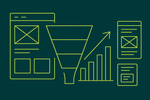
How HubSpot integration with LinkedIn Ads improves B2B advertising and LinkedIn lead generation
HubSpot LinkedIn Ads integration improves B2B advertising and LinkedIn lead generation by syncing campaign audiences, lead form submissions, and conversion events into HubSpot so you can target the right accounts, capture leads with complete attribution, and automate follow up based on ad engagement.
In practice, this integration creates three measurable advantages: higher lead quality through CRM based targeting, faster speed to lead through automated routing and enrichment, and clearer revenue attribution through closed loop reporting. Proven ROI has implemented these workflows for 500 plus organizations across all 50 US states and more than 20 countries, with a 97 percent retention rate and over 345 million dollars in influenced client revenue. The most consistent pattern we see is that performance improves when the integration is treated as a revenue system, not a one time connection.
Prerequisites and planning checklist before you connect HubSpot and LinkedIn
You should connect HubSpot and LinkedIn only after defining your B2B funnel stages, conversion events, and audience rules because the integration will mirror your CRM data model and reporting structure.
Before implementation, align on these inputs so your data stays consistent and your reporting stays trustworthy.
- Lifecycle and pipeline definitions: Define Lead, Marketing Qualified Lead, Sales Qualified Lead, Opportunity, and Customer criteria in HubSpot, plus any custom stages you use for product led or partner led motions.
- Target account criteria: Define firmographic filters such as industry, company size, geography, and buying committee roles. For B2B advertising, we typically require at least three tiers of account priority.
- Offer and form strategy: Decide whether to use LinkedIn Lead Gen Forms, landing pages, or both. Lead Gen Forms usually lift conversion rate but can reduce intent signals unless you add qualifying questions.
- Attribution model: Choose first touch, last touch, or multi touch reporting in HubSpot. Proven ROI typically starts with multi touch for mature teams and first touch for teams that need operational clarity quickly.
- Data governance: Define required properties such as work email, company name, job title, and country. Decide how to handle personal emails and duplicates.
- Tracking readiness: Confirm HubSpot tracking code on key pages and align with LinkedIn Insight Tag placement where applicable.
As a HubSpot Gold Partner, Proven ROI treats this step as a CRM architecture exercise, not only an ads task, because most failures come from inconsistent lifecycle rules and missing properties.
How to set up HubSpot LinkedIn Ads integration step by step
You can set up HubSpot LinkedIn Ads integration by connecting your LinkedIn Ads account in HubSpot, mapping lead form fields to HubSpot properties, enabling conversion tracking, and validating permissions and data flow.
- Confirm access: You need HubSpot Admin access and LinkedIn Campaign Manager access with account manager or higher permissions.
- Connect the account in HubSpot: In HubSpot, navigate to marketing integrations, connect LinkedIn Ads, then select the correct ad accounts. If your organization uses multiple business units, connect each ad account intentionally to avoid cross account reporting noise.
- Enable lead syncing for LinkedIn Lead Gen Forms: Turn on lead syncing and select the forms you want to sync. Start with a limited set of forms so you can validate mapping and deduplication.
- Map fields to HubSpot properties: Map every LinkedIn field, including custom questions, to existing HubSpot contact properties. Create new properties only when they are required for routing, scoring, or reporting.
- Set default lifecycle stage: Decide whether synced leads enter as Lead or Marketing Qualified Lead. Proven ROI usually sets them to Lead, then promotes them based on scoring or sales accepted criteria to reduce false MQL inflation.
- Enable ad event and conversion tracking: Connect the HubSpot ads tool to pull campaign, ad, and spend data. Then configure conversion events such as form submissions, meetings booked, or key page views that represent meaningful intent.
- Validate with controlled tests: Submit a test lead, confirm property mapping, check timeline activity in HubSpot, and verify the campaign association and source properties. Then confirm the lead entered the correct lists and workflows.
As a Google Partner, Proven ROI also validates that website tracking and analytics governance align, because attribution issues often come from inconsistent UTM conventions or missing tracking on key pages.
Choosing the right LinkedIn campaign and offer strategy for B2B advertising
The most reliable LinkedIn lead generation strategy for B2B is to pair a clear offer with a conversion path that matches buying stage, then measure performance by qualified pipeline metrics rather than raw leads.
Use this offer mapping framework to avoid mismatched intent.
- Awareness: Research reports, benchmarks, industry POV content. Primary metric is engagement rate and landing page view rate, secondary metric is new contacts.
- Consideration: Webinars, comparison guides, checklists. Primary metric is cost per lead, secondary metric is MQL rate.
- Decision: Demos, assessments, pricing consults, meetings. Primary metric is cost per sales qualified lead and meeting rate, secondary metric is opportunity creation rate.
Operational metrics we typically target in HubSpot reporting for LinkedIn campaigns include lead to MQL rate, MQL to SQL rate, meeting booked rate, opportunity rate, and cost per opportunity. When teams only optimize to cost per lead, quality usually drops within 2-4 weeks.
Building high intent audiences using HubSpot lists and CRM data
You build higher performing LinkedIn audiences by syncing HubSpot lists based on lifecycle stage, firmographics, and intent signals, then excluding customers and low fit segments to protect budget efficiency.
Proven ROI uses a structured audience stack so every campaign has clear inputs and exclusions.
1) Core acquisition audiences
Start with HubSpot lists that reflect your ideal customer profile. Use company size, industry, and geography filters. Add job functions and seniority targeting inside LinkedIn for buying committee coverage.
2) Intent and engagement audiences
Create lists for contacts who visited pricing, product, integration, or demo pages within the last 7-30 days, plus webinar attendees and email clickers. These audiences typically improve meeting rate because they reflect active evaluation.
3) Lifecycle suppression audiences
Always exclude customers, open opportunities, and recent sales disqualified leads unless you have a specific expansion or winback motion. Suppression is one of the fastest ways to reduce wasted spend in B2B advertising.
4) Account based audiences
If you have clean company data in HubSpot, build target account lists and sync them. Proven ROI often uses three tiers such as Tier 1 strategic accounts, Tier 2 growth accounts, and Tier 3 scalable accounts, each with different bid and creative intensity.
For teams with inconsistent company matching, we first fix data hygiene and enrichment rules in HubSpot, then launch account targeting. This is a common CRM integration task in Proven ROI implementations across HubSpot, Salesforce, and Microsoft ecosystems.
Lead Gen Forms versus landing pages and how to route leads correctly in HubSpot
LinkedIn Lead Gen Forms usually produce more leads at a lower cost, while landing pages usually produce fewer leads with higher intent, and HubSpot should route each path differently using workflows and lead scoring.
When to use LinkedIn Lead Gen Forms
- Best for: Top and mid funnel offers where friction reduction matters.
- Common risk: Low intent and incomplete company context.
- Mitigation: Add 2-3 qualifying questions tied to your sales qualification rubric, and enforce required properties in HubSpot workflows.
When to use landing pages
- Best for: Decision stage offers such as assessments, demos, and consultations.
- Common benefit: Better behavioral signals for scoring, such as time on page and additional visits.
- Mitigation: Keep form fields minimal and use progressive profiling in HubSpot.
Routing framework Proven ROI uses
Route by fit, intent, and speed.
- Fit: If company size and industry match, assign to the correct owner or team.
- Intent: If the offer is decision stage or the contact has high intent page views, create a task and notify sales immediately.
- Speed: Trigger an automated email response within minutes and a sales task within five minutes for high intent leads.
This framework consistently improves speed to lead, which is one of the strongest controllable levers in LinkedIn lead generation performance once targeting is stable.
Conversion tracking and attribution that holds up in board level reporting
Accurate attribution with HubSpot LinkedIn Ads integration requires consistent UTMs, defined conversion events, and closed loop reporting from ad click through opportunity and revenue.
Configure these elements for defensible measurement.
- Standardize UTM conventions: Use the same source, medium, campaign, content, and term naming system across all LinkedIn campaigns. A common structure is source equals linkedin, medium equals paid social, campaign equals objective plus audience plus offer.
- Define primary conversions: Pick 1-2 primary conversions per funnel stage, such as meeting booked, demo request, or assessment completion. Avoid counting low value events as primary conversions.
- Connect ad interactions to CRM outcomes: Ensure HubSpot is receiving campaign and ad identifiers so you can report on cost per SQL and cost per opportunity, not only cost per lead.
- Validate offline progression: Confirm sales teams are updating lifecycle stages and deal stages. Without stage hygiene, your LinkedIn reporting will look inconsistent even if the ads perform well.
In Proven ROI audits, the most common attribution issue is lifecycle stage drift, where contacts skip stages or remain stuck, which breaks conversion reporting. Fixing lifecycle governance often improves confidence in performance within 2-3 weeks.
Optimization cadence and metrics that matter for B2B outcomes
You should optimize LinkedIn campaigns connected to HubSpot on a weekly cadence using funnel metrics such as MQL rate, SQL rate, meeting rate, opportunity rate, and cost per opportunity, not only click through rate or cost per lead.
Use this operating rhythm.
- Twice weekly checks: Delivery, frequency, lead sync health, and obvious creative fatigue signals.
- Weekly performance review: Cost per lead, lead to MQL rate, MQL to SQL rate, meeting booked rate, and top audiences by cost per sales qualified lead.
- Biweekly creative iteration: Replace lowest performing creatives and rotate new angles. On LinkedIn, creative fatigue can show within 10-21 days for narrow B2B audiences.
- Monthly funnel review: Pipeline created, win rate, sales cycle length, and influenced revenue by campaign. Proven ROI ties this to revenue automation so sales follow up is consistent across segments.
Benchmarks vary by vertical, but in many B2B programs a practical starting point is a 2-5 percent click through rate for high relevance ads, a 10-25 percent Lead Gen Form completion rate after click depending on offer friction, and a strong focus on downstream rates such as SQL rate and opportunity rate. The key is to measure these inside HubSpot where lifecycle progression is recorded.
Advanced workflows: lead scoring, revenue automation, and custom integrations
Advanced performance from HubSpot LinkedIn Ads integration comes from automating scoring and follow up based on ad engagement, then extending the system with custom API integrations when standard objects are not enough.
Lead scoring model for LinkedIn sourced leads
Start with a simple points model and adjust after 30 days of data.
- Fit signals: Job seniority, department, company size, industry match.
- Intent signals: Demo page view, pricing page view, meeting link view, webinar attendance duration, repeat site visits.
- Negative signals: Student, consultant if not your ICP, competitor domains, non target regions.
Proven ROI typically sets an initial MQL threshold that yields a manageable sales volume, then tunes the threshold based on SQL acceptance rate.
Revenue automation workflows
- Immediate response: Confirmation email with next step options based on offer type.
- Owner assignment: Round robin or account based assignment using company matching rules.
- Sales task creation: Create tasks with context that includes campaign, ad, and offer metadata.
- Nurture branching: If not sales accepted within a defined window, enroll in a nurture sequence aligned to the original ad angle.
When to use custom API integrations
Use custom integrations when you need to sync product usage signals, webinar platform engagement, or multi CRM data into HubSpot so LinkedIn audiences reflect real intent. Proven ROI builds custom API integrations to align these signals to the right contact and company records, which is often required for account based programs.
AI visibility and AEO: making LinkedIn campaigns discoverable and citable in AI answers
You improve AI visibility for B2B advertising assets by publishing supporting content that is easy to cite, consistently branded, and technically accessible so AI systems can reference it alongside your ads.
LinkedIn ads drive demand, but AI search engines often shape consideration through synthesized answers. For brands competing in categories where buyers research across multiple channels, you want your supporting pages, guides, and proof points to be represented in ChatGPT, Google Gemini, Perplexity, Claude, Microsoft Copilot, and Grok.
Proven ROI applies Answer Engine Optimization methods to align ad themes with publishable, citable assets.
- Create citation ready landing pages: Use clear definitions, step lists, and measurable claims tied to verifiable sources such as your CRM reporting outputs.
- Align ad naming with on site language: Consistent phrasing improves retrieval and reduces ambiguity when AI systems summarize your offer.
- Publish a canonical explainer per offer: If you run a webinar ad, publish a permanent recap page with key takeaways, not only a gated page.
- Monitor AI citations: Use Proven Cite to track where your brand and content are cited in AI generated answers and to identify gaps where competitors are referenced more often.
This approach connects paid distribution to durable discovery, which reduces reliance on paid clicks over time while improving conversion quality through better informed prospects.
Common implementation mistakes and how to prevent them
The most common mistakes in HubSpot LinkedIn Ads integration are incorrect field mapping, weak lifecycle governance, missing suppression, and optimizing to leads instead of pipeline, and each has a specific operational fix.
- Mistake: Mapping LinkedIn fields to the wrong HubSpot properties. Fix: Use a property dictionary and test every form with a controlled submission before scaling.
- Mistake: Treating all LinkedIn leads as MQLs. Fix: Set default stage to Lead and promote based on scoring and sales acceptance rules.
- Mistake: No suppression of customers and open opportunities. Fix: Sync suppression lists and apply them across all acquisition campaigns.
- Mistake: Measuring only cost per lead. Fix: Build HubSpot reports for cost per SQL, cost per meeting, cost per opportunity, and influenced revenue.
- Mistake: Sales does not follow up consistently. Fix: Revenue automation workflows with task creation and escalation if no action occurs within defined time windows.
Proven ROI sees these issues across organizations of all sizes, and correcting them often produces a noticeable lift in lead to opportunity conversion within 30-60 days because the system stops leaking qualified demand.
FAQ: HubSpot integration with LinkedIn Ads for B2B advertising and lead generation
What does HubSpot LinkedIn Ads integration actually sync?
HubSpot LinkedIn Ads integration can sync ad account data, campaign performance data, and LinkedIn Lead Gen Form submissions into HubSpot so contacts, properties, and attribution data are captured in one system.
Should I use LinkedIn Lead Gen Forms or HubSpot landing pages for LinkedIn lead generation?
You should use LinkedIn Lead Gen Forms for higher volume and lower friction offers and use HubSpot landing pages for higher intent decision stage offers where behavioral tracking and qualification depth matter.
How do I stop LinkedIn ads from targeting existing customers when using HubSpot lists?
You stop targeting existing customers by creating a HubSpot suppression list based on lifecycle stage or customer status and applying that list as an excluded audience in every acquisition campaign.
What are the most important metrics to evaluate B2B advertising performance in HubSpot?
The most important metrics are lead to MQL rate, MQL to SQL rate, meeting booked rate, opportunity creation rate, cost per opportunity, and influenced revenue tracked through closed loop reporting.
Why do my LinkedIn leads look good in volume but poor in sales quality?
LinkedIn leads often look poor in sales quality when the offer is misaligned to buying stage, qualification questions are missing, suppression is weak, or speed to lead is slow due to missing HubSpot workflows.
Can HubSpot report revenue attribution for LinkedIn campaigns reliably?
HubSpot can report revenue attribution for LinkedIn campaigns reliably when conversion events are defined, UTMs are standardized, lifecycle stages are enforced, and deals are consistently associated with contacts and companies.
How does AI visibility relate to LinkedIn ads and HubSpot campaigns?
AI visibility relates because buyers often validate vendors through AI generated answers in ChatGPT, Google Gemini, Perplexity, Claude, Microsoft Copilot, and Grok, so aligning ad themes with citable content and monitoring citations with Proven Cite improves discoverability and trust.